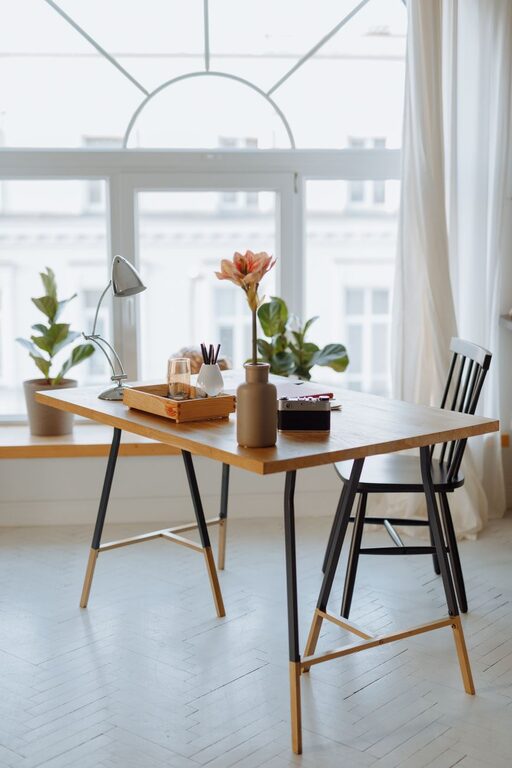
Creating a home office that is both cozy and productive can significantly improve your work-from-home experience. Whether you’re tackling daily tasks, attending virtual meetings, or managing your own business, the right environment helps you stay focused, motivated, and comfortable throughout the day. In this post, we’ll explore practical tips to set up a home office that feels inviting yet supports your productivity.
Choose the Right Location
Selecting the best spot for your home office is the first step to creating an effective workspace.
– Quiet and Low-Traffic Area: Look for a space away from distractions like the living room television or busy hallways.
– Natural Light: Position your desk near a window if possible. Natural light can reduce eye strain and boost your mood.
– Separate From Leisure Areas: Keeping your office space distinct from where you relax helps maintain a work-life balance.
Invest in Comfortable and Functional Furniture
Your furniture plays a crucial role in both comfort and efficiency.
– Ergonomic Chair: Choose a chair that supports good posture and reduces back strain, especially if you spend long hours at your desk.
– Proper Desk: Select a desk with enough surface area for your computer, notebooks, and any other essentials without feeling cramped.
– Adjustable Options: Consider desks or chairs that can be adjusted to fit your body’s needs.
Organize and Declutter
A tidy workspace clears your mind and reduces stress.
– Use Storage Solutions: Shelves, filing cabinets, and organizers keep important documents and supplies neatly stored.
– Limit Desk Items: Keep only necessary items on your desk to avoid clutter.
– Cable Management: Use clips or ties to keep cords out of the way and prevent tangling.
Add Personal Touches for Warmth and Inspiration
Incorporate elements that make your office feel cozy and uniquely yours.
– Plants: Adding greenery can improve air quality and create a calming atmosphere.
– Artwork or Photos: Decorate with pieces that inspire or bring you joy.
– Soft Textiles: Consider a small rug, cushions, or a throw blanket for extra comfort.
Optimize Lighting
Good lighting reduces eye fatigue and sets the right mood.
– Layered Lighting: Use a combination of natural light, overhead lighting, and task lamps to brighten your workspace effectively.
– Adjustable Desk Lamp: Provides focused light for reading or detailed work.
– Avoid Glare: Position screens and lamps to minimize reflections.
Maintain a Comfortable Temperature and Air Quality
Your home office should be a pleasant environment year-round.
– Climate Control: Use a fan, space heater, or air conditioner as needed.
– Air Circulation: Open windows or use an air purifier to keep the air fresh.
– Humidity Levels: Maintain moderate humidity to keep comfort and protect electronics.
Create Boundaries for Better Focus
Setting clear boundaries helps separate work time from personal time.
– Visual Dividers: Screens or curtains can help define your workspace.
– Set Work Hours: Stick to a regular schedule to avoid burnout.
– Inform Household Members: Let others know your work times to minimize interruptions.
Incorporate Technology Wisely
Tech tools can enhance your productivity but also cause distractions if not managed properly.
– Reliable Internet: Ensure you have a strong and stable connection.
– Quality Headphones or Speakers: Helpful for virtual meetings or blocking out noise.
– Organize Digital Files: Keep your computer desktop and documents organized to find what you need quickly.
Maintain Your Workspace Regularly
A regular cleanup routine keeps your office inviting and functional.
– Daily Tidy-Up: Spend a few minutes at the end of each day putting things away.
– Weekly Deep Clean: Dust surfaces, clean your keyboard, and vacuum or sweep the floor.
– Review and Adjust: Periodically evaluate your setup to make improvements as needed.
—
Creating a cozy and productive home office doesn’t require a big budget or a large room. With thoughtful choices and regular maintenance, you can craft a space that supports your work goals while making you feel comfortable and at ease. Try incorporating these tips one step at a time and enjoy a more pleasant work-from-home experience.
About the Author