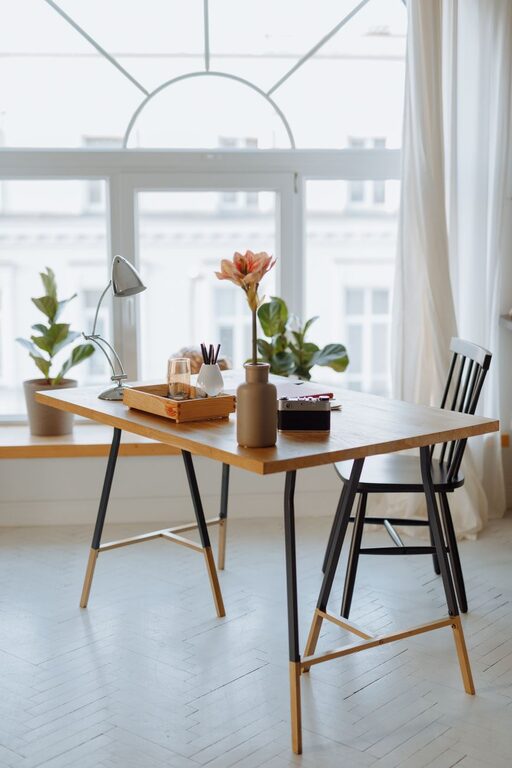
Creating a home office that balances comfort and productivity is essential for anyone working remotely or managing tasks at home. A cozy workspace can help you focus, reduce stress, and make your workday more enjoyable. Here are some helpful tips to design a home office that suits your needs and keeps you productive.
Choose the Right Location
Finding the best spot in your home for your office is the first step. Consider the following:
– Quiet Area: Pick a location away from high-traffic zones like the kitchen or living room to minimize distractions.
– Natural Light: A space near a window can brighten your workspace, boost your mood, and reduce eye strain.
– Size and Layout: Make sure there’s enough room for your desk, chair, and any equipment you need without feeling cramped.
Invest in Quality Furniture
Comfort is key when you’re spending hours at your desk. The right furniture can make a big difference.
– Ergonomic Chair: Look for an adjustable chair that supports your back and encourages good posture.
– Functional Desk: Choose a desk that fits your space and provides adequate surface area for your computer, papers, and tools.
– Storage Solutions: Incorporate shelves, drawers, or filing cabinets to keep your workspace tidy and organized.
Optimize Lighting
Good lighting reduces eye strain and helps maintain energy levels.
– Blend Natural and Artificial Light: Use desk lamps or overhead lights to supplement daylight, especially during cloudy days or evening hours.
– Adjustable Lighting: Lamps with adjustable brightness and direction allow you to tailor the light for different tasks.
– Avoid Glare: Position your screen and light sources to prevent glare on your monitor.
Personalize Your Space
Adding personal touches can make your home office feel welcoming and inspiring.
– Decorate Tastefully: Incorporate artwork, plants, or photos that motivate you without cluttering the space.
– Color Choice: Choose calming colors like soft blues, greens, or neutrals that promote focus.
– Comfort Items: A cozy blanket or small cushion can add warmth and comfort.
Organize and Declutter
An orderly workspace helps clear your mind and increase efficiency.
– Daily Decluttering: Spend a few minutes each day putting items back in their place.
– Use Organizers: Desk trays, pen holders, and cable organizers can reduce clutter and keep things accessible.
– Digital Organization: Keep your computer files and emails organized to complement your physical workspace.
Set Boundaries
Maintaining a clear division between work and home life improves focus and prevents burnout.
– Work Hours: Set consistent start and finish times for your workday.
– Separate Space: If possible, keep your office area distinct from relaxation zones to help your brain switch between work and rest.
– Communicate: Let family members or roommates know your work schedule to reduce interruptions.
Incorporate Technology Wisely
Using the right technology supports productivity and comfort.
– Reliable Internet: Ensure your connection is strong to avoid disruptions.
– Accessories: Consider noise-canceling headphones for focus and an external keyboard or mouse for comfort.
– Cable Management: Use clips or sleeves to keep cords neat and prevent tangling.
Take Breaks and Move
Even in a comfortable workspace, it’s important to step away regularly.
– Stretching: Stand up and stretch every hour to reduce stiffness.
– Microbreaks: Brief breaks can improve concentration and reduce mental fatigue.
– Healthy Habits: Keep water nearby and consider healthy snacks for sustained energy.
Conclusion
Creating a cozy and productive home office is about combining functionality with comfort. Assess your space, choose the right furniture, organize efficiently, and add personal touches that inspire you. By setting boundaries and using technology thoughtfully, you can enjoy a workspace that supports your best work every day.
About the Author