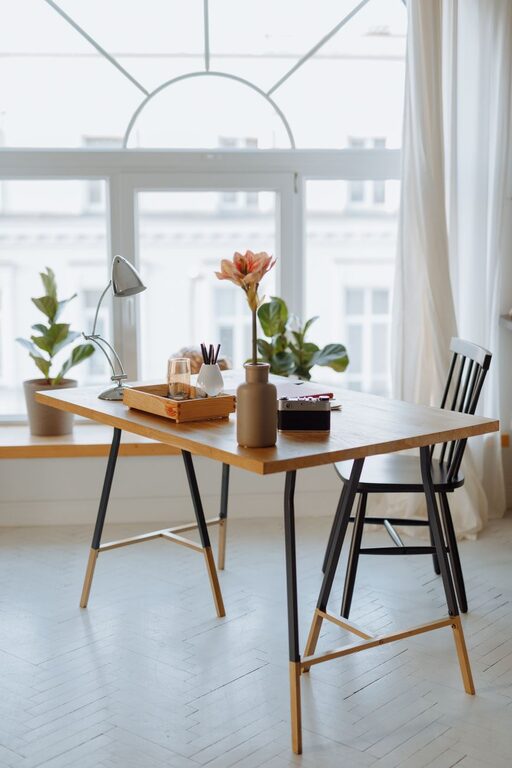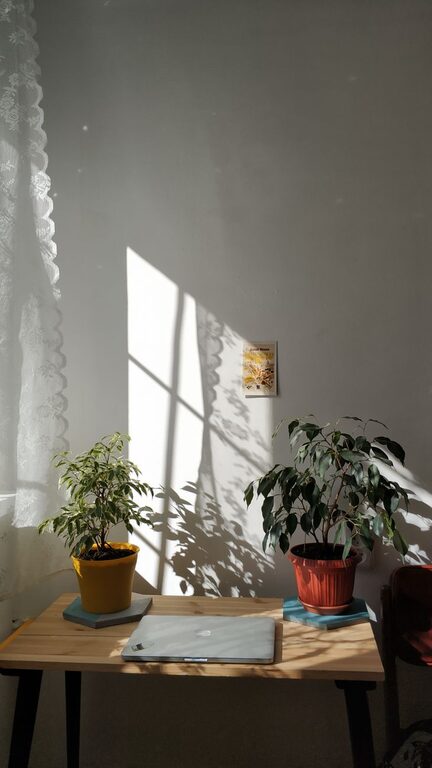
Creating a workspace at home that feels both relaxing and productive can significantly improve your work experience. Whether you work remotely full-time, occasionally, or just need a dedicated spot for personal projects, having the right environment is key. This guide will walk you through practical tips to make your home workspace comfortable, calming, and efficient.
Why a Relaxing Workspace Matters
Your workspace influences your mood, concentration, and energy levels. A cluttered, noisy, or uncomfortable area can cause distractions and stress, while a peaceful, well-organized space encourages focus and creativity. When your surroundings promote relaxation, you’re more likely to enjoy your work and accomplish tasks efficiently.
Choosing the Right Location
Start by selecting a quiet spot in your home that has minimal foot traffic and distractions. Ideally, this area should:
– Receive ample natural light to boost your mood and reduce eye strain
– Be near an electrical outlet for easy device charging
– Have enough room for your desk, chair, and necessary equipment
If space is limited, consider using a corner of a less-used room or a closet that can be converted into a small office nook.
Invest in Comfortable and Supportive Furniture
Comfort is essential in preventing fatigue and physical strain during work hours. When selecting furniture:
– Chair: Choose an ergonomic office chair that supports your lower back and encourages good posture. Adjustable height and tilt features add extra comfort.
– Desk: Pick a desk with enough surface space to organize your computer, documents, and accessories without feeling cramped. Standing desks or adjustable desks can be beneficial if you prefer to switch positions throughout the day.
– Accessories: A footrest, wrist rest, or cushioned mats can enhance comfort during extended sitting periods.
Optimize Lighting for Comfort and Focus
Lighting affects both your alertness and eye health. Use these lighting strategies:
– Natural Light: Position your desk near a window if possible, but avoid direct glare on your screen.
– Task Lighting: A good desk lamp with adjustable brightness helps reduce eye strain during focused tasks. Choose bulbs with soft white or daylight tones to create a warm yet clear illumination.
– Ambient Lighting: Overhead or floor lamps can provide gentle, even light to avoid harsh shadows.
Organize Your Space to Reduce Clutter
Clutter can be distracting and elevate stress levels. Keeping your workspace tidy and organized promotes a peaceful feel and quick access to essentials.
Try these organization tips:
– Use drawer organizers or desk trays to sort stationery and small items
– Choose shelves or wall organizers for books, files, and supplies
– Limit the number of decorative items to avoid visual distractions
– Establish a daily or weekly routine to put away items and clear your desk
Incorporate Personal Comfort and Calming Elements
Adding personal touches can make your workspace inviting without sacrificing professionalism or productivity.
Consider these ideas:
– Plants: Small indoor plants improve air quality and add a natural, calming vibe.
– Artwork: Select simple, inspiring artwork or photographs that promote positivity.
– Aromatherapy: Using subtle essential oils or candles can help create a soothing atmosphere. Avoid strong scents that may be distracting or cause allergies.
– Soft Textiles: Comfortable cushions, throws, or rugs can add warmth and reduce noise.
Control Noise and Minimize Distractions
Noise can break your concentration and increase stress. To create a quieter workspace:
– Use noise-canceling headphones or white noise machines to mask disruptive sounds
– Close doors or use room dividers to separate your workspace from noisy areas
– Set clear boundaries with family or roommates regarding your work hours
Establish a Routine and Set Boundaries
Your environment is part of creating a productive mindset, but routine matters too. Consider:
– Designing consistent start and end times for your workday
– Taking regular breaks to stretch, hydrate, and refresh your mind
– Communicating your work schedule to others to avoid interruptions
– Dressing comfortably yet professionally to mentally switch into work mode
Keep Technology Streamlined and Efficient
The right technology setup helps reduce frustration and downtime.
– Keep cables tidy with clips or sleeves
– Use a second monitor if your work involves multitasking
– Ensure your internet connection is stable and fast
– Adjust device settings like screen brightness and text size for comfort
—
Final Thoughts
Creating a relaxing home workspace doesn’t require a major renovation or expensive investments. With thoughtful organization, comfortable furniture, good lighting, and personal touches, you can build a space that feels enjoyable and makes your work easier. Remember, your workspace should support your needs and help you stay balanced during the workday.
Take small steps toward improving your workspace today, and you’ll likely notice a positive difference in your productivity and overall comfort.
About the Author